
How to Automate Yoga Studio Class Scheduling and Stop Wasting Hours Weekly
You automate yoga class scheduling by putting your timetable, bookings, waitlists, reminders and attendance into one yoga class scheduling system, then letting set rules, not you, handle the repetitive work. The goal is not to remove the human side of your studio. It is to stop spending evenings answering "is there a spot on Thursday?" so you can spend that time teaching, planning and talking to students.
Short answer: To automate yoga studio class scheduling, set your timetable once as recurring classes, let students book themselves from a single link, and have your software apply your capacity, waitlist, cancellation and reminder rules automatically. Start by measuring where your admin hours go, write your rules down, then choose yoga scheduling software that can follow them.
This guide is for studio owners, teachers and managers anywhere: a one-room studio in Pune, a multi-teacher centre in Toronto, or an independent instructor teaching in person and online across time zones. You will get a quick time audit, a seven-step setup process, a software checklist you can use on any platform, and the mistakes that most often undo automation.
Why manual scheduling quietly eats your week
Manual scheduling rarely feels like one big job. It is dozens of two-minute interruptions that never show up on a to-do list, which is exactly why they add up unnoticed.
Common hidden tasks in a manually run studio:
- Replying to "what time is the Saturday class?" and "is there space?" messages
- Adding students to classes by hand and keeping a headcount
- Handling cancellations and offering the freed spot to someone
- Sending reminders one chat at a time
- Updating the timetable on your website, social profiles and messaging groups separately
- Rearranging classes for holidays, teacher cover or workshops
- Reconciling who attended with who paid
Because the work is fragmented, most owners underestimate it. Before changing anything, measure it.
Run a one-week time audit
For seven days, jot down every scheduling task and how long it takes. Then fill in a table like this one (the rows are examples; the numbers are yours to supply):
|
Task |
Times per week |
Minutes each |
Weekly minutes |
|---|---|---|---|
|
Answering availability questions |
|
|
|
|
Manually adding or moving bookings |
|
|
|
|
Managing cancellations and waitlist |
|
|
|
|
Sending reminders |
|
|
|
|
Updating the timetable in multiple places |
|
|
|
|
Matching attendance to payments |
|
|
|
|
Total weekly hours (total minutes ÷ 60) |
|
|
|
Circle the three largest rows. Those are your first automation targets, and they give you a baseline to compare against after a month.
What a yoga class scheduling system should automate
A good yoga class scheduling system handles the predictable, rule-based work and leaves judgement calls to you. Here is what that looks like task by task.
|
Task |
Manual way |
Automated way |
Why it helps |
|---|---|---|---|
|
Publishing the timetable |
Edit a poster, website and chat groups separately |
One recurring timetable that students view from a single link |
One source of truth, fewer "is this still right?" questions |
|
Booking a class |
Message, wait for reply, add name to a list |
Student picks a class and books online |
Removes back-and-forth for you and the student |
|
Capacity limits |
Count heads by hand |
System stops bookings at your set limit |
No overbooked rooms or mats |
|
Cancellations and waitlists |
Message people one by one to fill a spot |
Waitlist notifies the next student automatically |
Freed spots get filled without your involvement |
|
Reminders |
Send individually or forget |
Automatic confirmations and reminders before class |
Fewer forgotten sessions |
|
Schedule changes |
Notify everyone manually |
Edit once, affected students are notified |
Faster, more consistent communication |
|
Attendance |
Paper register or memory |
Check-in or marking logged against the class |
Clean data for payments and retention |
Two things are worth keeping manual: personal outreach (a note to a student who has gone quiet) and sensitive exceptions (injury, bereavement, a regular who needs flexibility). Automation clears the routine so you have more time for exactly these.
How to automate yoga class scheduling in 7 steps
- Start with your time audit. Pick the three biggest time sinks from the table above. Automating everything at once is how setups stall; automating the top three delivers a visible win.
- Write your scheduling rules down. Software can only follow rules you have decided. Define: maximum students per class, how far ahead students can book, the cancellation cut-off (for example, a set number of hours before class), what happens on a late cancellation, how the waitlist works, and how drop-ins, class packs and workshops differ.
- Build your timetable as recurring templates. Enter each regular class once with its teacher, room, level, duration and capacity. Handle holidays, workshops and teacher cover as one-off changes rather than rebuilding the week.
- Give students one booking link. Put the same link on your website, social profiles, Google Business Profile and in your messaging groups. When there is one place to book, the stream of "is there space?" messages shrinks.
- Switch on waitlists, confirmations and reminders. Decide the timing once: an instant confirmation, a reminder before class, and a prompt when a waitlisted spot opens. If you teach online or across regions, make sure class times display in the student's own time zone and check how the system handles daylight-saving changes.
- Tie attendance to the schedule. Mark attendance against each class so your records show who actually came, not only who booked. This feeds payments, renewals and, over time, early signs that a student is drifting away.
- Hold a 15-minute weekly review. Look at which classes fill, which have waitlists, which run half empty and which slots are rarely booked. Adjust one thing per week. Re-run your time audit after a month and compare it with your baseline.
Tip for solo teachers: if you teach alone, steps 2 to 5 are usually a short setup rather than a project. Keep rules simple (one capacity number, one cancellation window) and expand only when you need to.
How to choose yoga scheduling software: a checklist
Most yoga scheduling software looks similar in a demo. The differences show up when you run your real week through it. Use this checklist on any platform you are considering, and tick off what you have verified yourself rather than what the sales page says.
Scheduling basics
- Recurring classes with easy one-off edits for holidays and cover
- Capacity limits, waitlists and a clear cancellation cut-off you can configure
- Support for different class types: group classes, workshops, series and private sessions
- Multiple teachers and rooms without double-booking
Student experience
- A simple booking link or page students can use without creating a long account
- Automatic confirmations and reminders
- Correct time-zone display if you teach online or internationally
- Your own branding where the platform offers it
Behind the scenes
- Attendance recorded against each class
- Link between classes, memberships and payments, so you are not reconciling in a spreadsheet
- Reports that show attendance and booking patterns, not only totals
- Ability to export your data if you ever switch
- Clear pricing that fits your student count, with a trial so you can test your real timetable
How to test: load one real week of classes into a trial, book a few test students, cancel one to trigger the waitlist, and send yourself a reminder. If any step feels clumsy now, it will feel worse with 100 students.
Six mistakes that undo yoga studio scheduling automation
- Automating before deciding policy. If you have not decided what a late cancellation means, software cannot enforce it consistently, and students will notice.
- Keeping three timetables alive. A software calendar, a poster and a chat-group message will drift apart. Pick one source of truth and point everything to it.
- Over-complicating the setup. Dozens of class types, price tiers and exceptions on day one make the system hard to maintain. Start simple and add complexity when real demand appears.
- Ignoring how students actually book. If your community lives on messaging apps, announce the move clearly, keep a short transition period and make the booking link easy to find.
- Treating reminders as spam control only. Reminders work best when short, friendly and in your studio's voice. Review the wording, not just the timing.
- Never reviewing the data. A schedule is a hypothesis. If a class is consistently under-filled or always has a waitlist, the system is telling you something. Check it weekly.
Where Levorofit fits
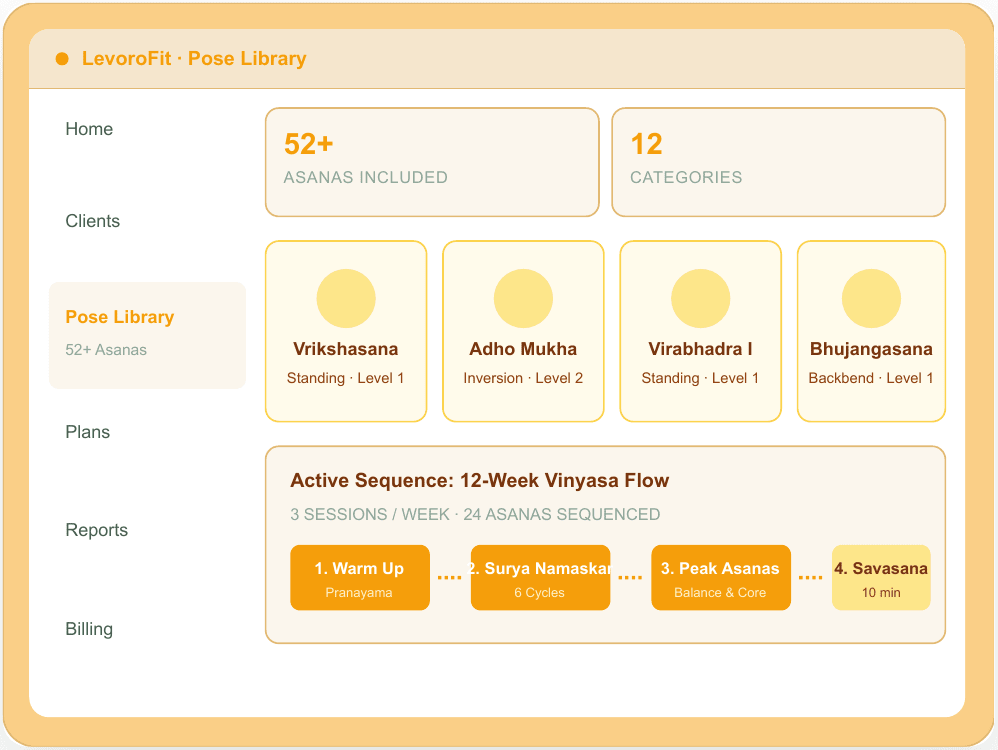
Levorofit is a platform built for yoga studios, independent teachers and wellness practitioners, so class scheduling sits next to the rest of the studio's day-to-day work rather than in a separate tool. For the scheduling workflow in this guide, relevant parts of the Levorofit yoga studio workspace include:
- Class schedule management and an upcoming-classes view, so your timetable and the week ahead are in one place
- Attendance tracking, with session logs and consistency streaks that show who is turning up regularly
- Student profiles and management, keeping notes and history alongside bookings
- Memberships and automated invoices, so payments connect to the classes people attend
- Notifications and campaigns, for announcing schedule changes or new classes
- At-risk student flagging, which helps you see who may be drifting before they stop attending
The combination matters more than any single feature: scheduling data becomes far more useful when attendance, memberships and student notes live in the same workspace, because step 6 and step 7 of the process above stop being manual reconciliation.
Whichever platform you choose, run it through the checklist above first. If you would like to see how Levorofit handles your own timetable, you can explore the yoga workspace and try it with a real week of classes.
Frequently asked questions
What is a yoga class scheduling system?
A yoga class scheduling system is software that manages your class timetable, student bookings, capacity, waitlists, reminders and attendance in one place. It replaces manual lists, messaging threads and separate calendars.
How does yoga scheduling software work?
You enter your recurring classes and rules, such as capacity and cancellation cut-off. Students book through a link or page, and the software applies your rules, updates headcounts, manages the waitlist and sends confirmations and reminders automatically.
Can an independent yoga teacher automate class scheduling?
Yes. Solo teachers often benefit most because every admin minute comes out of teaching or personal time. Keep the setup simple: one timetable, one booking link, one cancellation rule and automatic reminders.
Is a spreadsheet or Google Calendar enough?
For a very small group, it can work. It tends to break when you need student self-booking, waitlists, attendance records and payment tracking together, because each of those becomes a separate manual task.
Will automation make my studio feel impersonal?
Not if you automate the routine and keep the personal parts human. Use the time you save for check-ins, feedback on practice and reaching out to students who have gone quiet.
How do I handle time zones for online or hybrid classes?
Choose software that displays class times in each student's local time zone and handles daylight-saving changes. Always state the time zone in your announcements and confirmation messages.
How should I measure whether automation is working?
Compare your weekly admin hours from the time audit before and after, and watch class fill rates, waitlist activity and attendance consistency over several weeks.
Get your week back
Automating yoga class scheduling is a sequence of small decisions: measure your admin time, write your rules, build one timetable, give students one booking link, let reminders and waitlists run, and review weekly. Do those well and the scheduling work that used to follow you home becomes a quiet background process.
If you want a yoga scheduling software setup that keeps classes, attendance, memberships and student notes together, explore the Levorofit yoga studio workspace and test it against your own timetable.
⏳ Update History
Last edited by Blog Admin
"Updated via admin form"
Blog Admin
Wellness Expert
Professional wellness and nutrition expert contributing to LevoroFit.



 Book a Demo